Todas Atividades
Atualizada automaticamente
- Mais Cedo
-

 Update v45 - Download: - Bug fixes. Happy 2026.PCK_Ultimate_v45.7z
 Update v44 - Download: https://www.mediafire.com/file/vmdhe1fsataqmgb/PCK_Ultimate_v44.7z/file - Added a check to prevent files dragged from the editor from being dropped back into the editor itself, which was causing bugs and crashes. - Improved the search feature to display the full folder path, allowing differentiation between files with the same name located in different directories. - Added the ability to extract files directly from search results. PCK_Ultimate_v44.7z
Update v43 - Download: https://www.mediafire.com/file/d3opqv48r0gee8b/PCK_Ultimate_v43.7z/file - If the folder has many files inside it, it would not display all of them but only a limited amount of 500 files. Now it has been fixed it will display everyone.PCK_Ultimate_v43.7z
Update v44 - Download: https://www.mediafire.com/file/vmdhe1fsataqmgb/PCK_Ultimate_v44.7z/file - Added a check to prevent files dragged from the editor from being dropped back into the editor itself, which was causing bugs and crashes. - Improved the search feature to display the full folder path, allowing differentiation between files with the same name located in different directories. - Added the ability to extract files directly from search results. PCK_Ultimate_v44.7z
Update v43 - Download: https://www.mediafire.com/file/d3opqv48r0gee8b/PCK_Ultimate_v43.7z/file - If the folder has many files inside it, it would not display all of them but only a limited amount of 500 files. Now it has been fixed it will display everyone.PCK_Ultimate_v43.7z Eu faço isso com bastante frequência, mas é ótimo que alguém finalmente tenha compartilhado! Golden boy
 Ajudou muito 💖 Diamond Boy
Update v42 - Download: https://www.mediafire.com/file/begrx3l78s04zb4/PCK_Ultimate_v42.7z/file - An issue when adding files has been resolved. PCK_Ultimate_v42.7z
Este método funciona com qualquer arquivo .pck do PW (configs.pck, interfaces.pck, gfx.pck, building.pck, etc). Ele permite que o cliente leia as pastas soltas, sem você precisar abrir e salvar o PCK toda vez que muda algo. 📂 Estrutura Normal do Clienteelement\ data\ configs.pck interfaces.pck ... (outros arquivos .pck) 📌 Como ativar leitura direta da pastaEscolha um .pck para trabalhar, exemplo: interfaces.pck Extraia o conteúdo para uma pasta com o mesmo nome (sem .pck), ex: element\ data\ interfaces\ ← extraído daqui interfaces.pck Abra o .pck no editor (ex: PCK Ultimate) Exclua quase todos os arquivos do PCK, deixando só 1 arquivo vazio/qualquer Motivo: o cliente não pode carregar um .pck completamente vazio Salve o .pck reduzido Inicie o jogo normalmente ✅ O que aconteceO executável detecta que o .pck está quase vazio Ele passa a usar os arquivos da pasta extraída Você pode editar os arquivos à vontade sem reempacotar 🎯 VantagensBenefício Descrição 🚀 Rápido Edita e testa sem abrir PCK editor 🛠️ Prático Só reempacota quando terminar tudo 📁 Flexível Funciona com qualquer .pck do cliente 💡 Dev mode Ideal para desenvolvedores de PW ⚠️ DicaQuando terminar as alterações, reempacote o .pck normalmente para publicação.
Ajudou muito 💖 Diamond Boy
Update v42 - Download: https://www.mediafire.com/file/begrx3l78s04zb4/PCK_Ultimate_v42.7z/file - An issue when adding files has been resolved. PCK_Ultimate_v42.7z
Este método funciona com qualquer arquivo .pck do PW (configs.pck, interfaces.pck, gfx.pck, building.pck, etc). Ele permite que o cliente leia as pastas soltas, sem você precisar abrir e salvar o PCK toda vez que muda algo. 📂 Estrutura Normal do Clienteelement\ data\ configs.pck interfaces.pck ... (outros arquivos .pck) 📌 Como ativar leitura direta da pastaEscolha um .pck para trabalhar, exemplo: interfaces.pck Extraia o conteúdo para uma pasta com o mesmo nome (sem .pck), ex: element\ data\ interfaces\ ← extraído daqui interfaces.pck Abra o .pck no editor (ex: PCK Ultimate) Exclua quase todos os arquivos do PCK, deixando só 1 arquivo vazio/qualquer Motivo: o cliente não pode carregar um .pck completamente vazio Salve o .pck reduzido Inicie o jogo normalmente ✅ O que aconteceO executável detecta que o .pck está quase vazio Ele passa a usar os arquivos da pasta extraída Você pode editar os arquivos à vontade sem reempacotar 🎯 VantagensBenefício Descrição 🚀 Rápido Edita e testa sem abrir PCK editor 🛠️ Prático Só reempacota quando terminar tudo 📁 Flexível Funciona com qualquer .pck do cliente 💡 Dev mode Ideal para desenvolvedores de PW ⚠️ DicaQuando terminar as alterações, reempacote o .pck normalmente para publicação.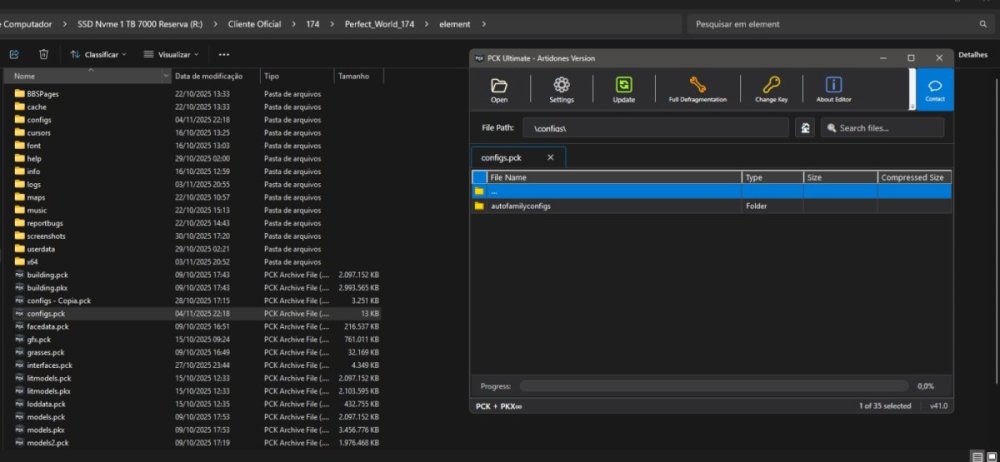
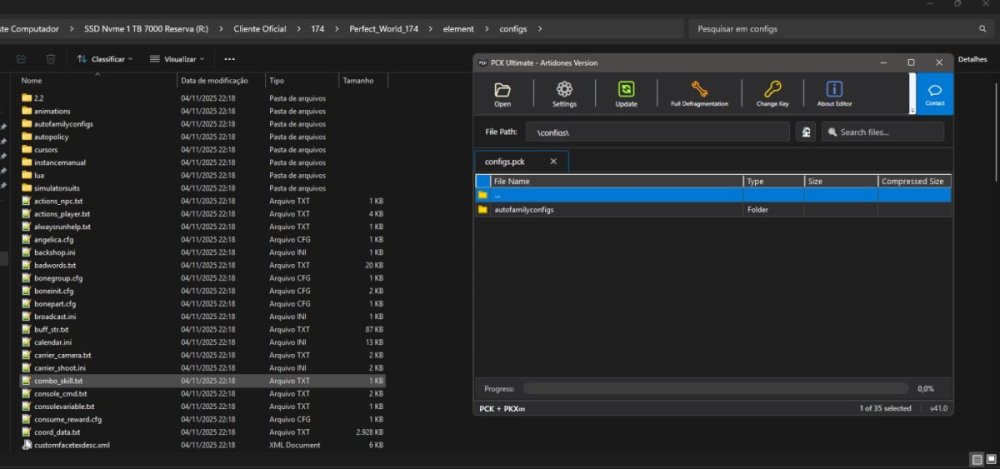 Update v41 - Download: https://www.mediafire.com/file/9vict9wu131gwea/PCK_Ultimate_v41.7z/file - The issue where adding many files at once would cause it to freeze and not show progress has been fixed. O problema que fazia com que o programa congelasse e não mostrasse o progresso ao adicionar muitos arquivos de uma só vez foi corrigido. PCK_Ultimate_v41.7z
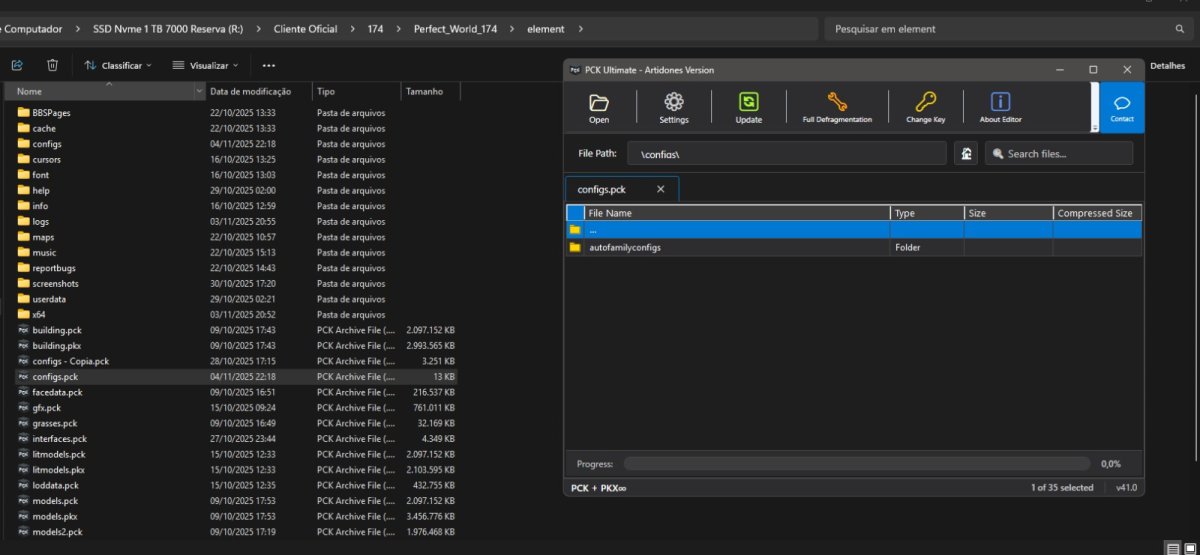
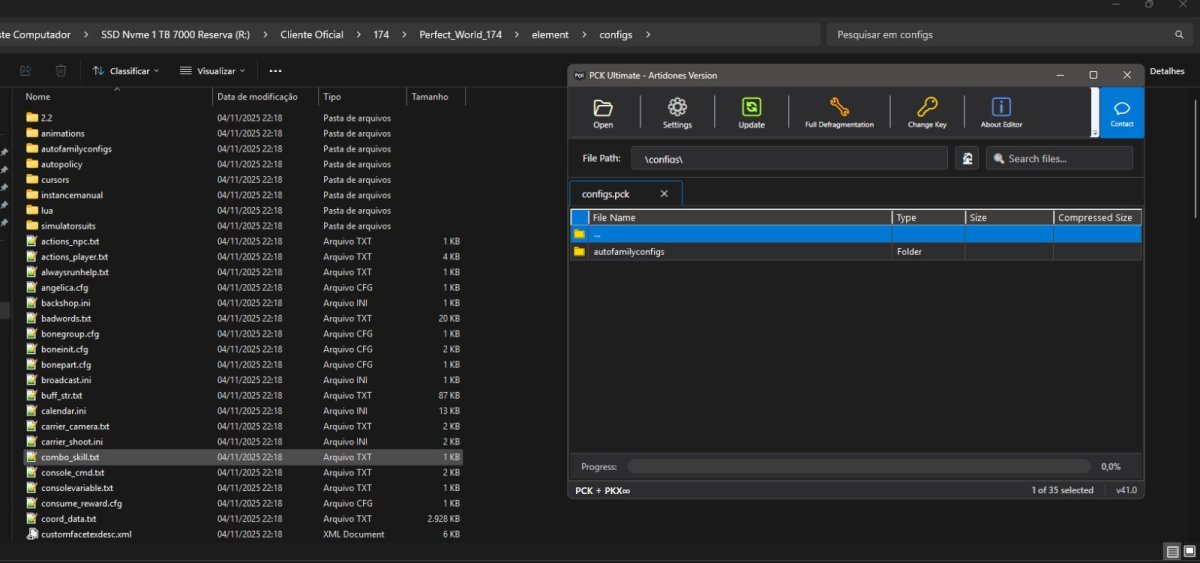
 Postando o .exe v45PCK_Ultimate_v45.7z do meu PCK Open, ele consegue abrir PCK + PKX do Chinês até a ultima versão.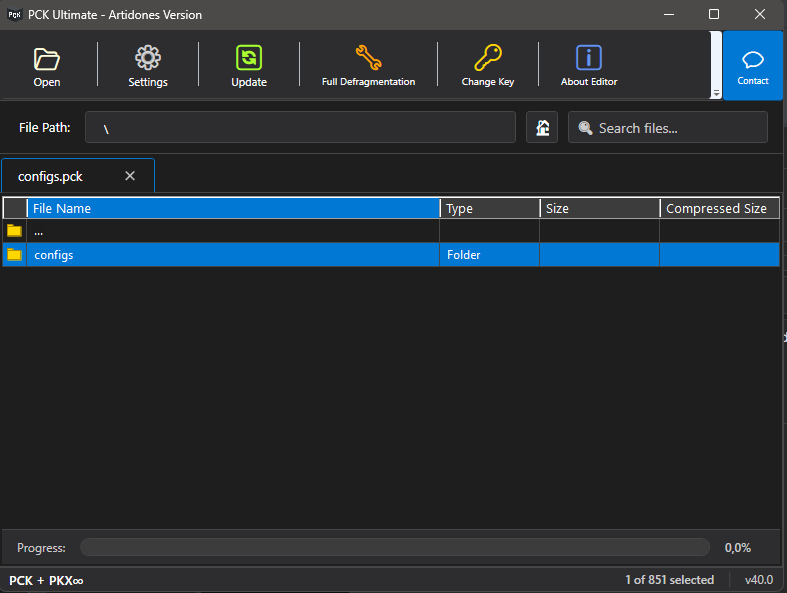


Account
Pesquisar
Configure browser push notifications
Chrome (Android)
- Tap the lock icon next to the address bar.
- Tap Permissions → Notifications.
- Adjust your preference.
Chrome (Desktop)
- Click the padlock icon in the address bar.
- Select Site settings.
- Find Notifications and adjust your preference.
Safari (iOS 16.4+)
- Ensure the site is installed via Add to Home Screen.
- Open Settings App → Notifications.
- Find your app name and adjust your preference.
Safari (macOS)
- Go to Safari → Preferences.
- Click the Websites tab.
- Select Notifications in the sidebar.
- Find this website and adjust your preference.
Edge (Android)
- Tap the lock icon next to the address bar.
- Tap Permissions.
- Find Notifications and adjust your preference.
Edge (Desktop)
- Click the padlock icon in the address bar.
- Click Permissions for this site.
- Find Notifications and adjust your preference.
Firefox (Android)
- Go to Settings → Site permissions.
- Tap Notifications.
- Find this site in the list and adjust your preference.
Firefox (Desktop)
- Open Firefox Settings.
- Search for Notifications.
- Find this site in the list and adjust your preference.